How to audit a daily media monitoring workflow
 Gabriel Tan
Founder and Strategy Lead · AIGP (IAPP) · Lean Six Sigma Green Belt
Gabriel Tan
Founder and Strategy Lead · AIGP (IAPP) · Lean Six Sigma Green Belt

Every PR agency does daily media monitoring. Very few have looked at how they actually do it.
The daily media monitoring report runs on muscle memory. Someone logs in, runs the searches, exports the results, formats them into a template, retrieves the articles, compiles the file, sends it. It gets done. It goes out. Nobody questions whether the process behind it costs more time than it should.
I recently sat with a senior associate at a financial communications firm and mapped her daily monitoring workflow. About half her time was mechanical: formatting entries, sorting them under section headers, laying out publication, date, headline, and hyperlink the way the client expected. The other half was judgment: deciding relevance, filtering noise from broad keyword searches, flagging what mattered. Every morning started with a senior person doing 30 to 40 minutes of work that did not need her expertise.
This is the default across most media monitoring services I have audited. Built years ago around the tools available then. Nobody has looked at it since. It works well enough. But "well enough" is hiding a real cost.
Here is how to audit yours.
Step 1: Map your actual daily media monitoring workflow
Sit next to the person who produces the report. Share their screen during a live cycle. Not their memory of it from a meeting room.
The associate I worked with had seven steps. She logged into Meltwater and ran six keyword searches, one per section of the client's report. Exported each as a CSV. Reviewed each export to select relevant articles and filter noise. Opened the Outlook template and formatted every entry under the correct section header: publication, date, title, hyperlink. Retrieved the full article text for each selected article and pasted it into the email body. Identified client-specific articles, retrieved their text, compiled them into a PDF attachment. Final check, send.
Seven steps. Some took five minutes. Some took twenty. Total ran two to three hours depending on news volume.
Your platform, template, and client requirements will differ. The principle stays: until you map and time the steps, you are working from assumptions.
Step 2: Separate formatting from judgment
Go through each step and ask: is this formatting or judgment?
Formatting is rule-based and repetitive. If someone with no industry knowledge could follow the instructions, it is formatting. Sorting articles by section. Populating a template with publication, date, headline, and hyperlink. Naming the file correctly.
Judgment requires context, experience, or editorial discretion. Deciding whether an article is relevant. Filtering noise from a broad keyword search. Spotting a risk signal in a headline.
In the workflow I audited, the split was 50/50. Spread across multiple steps, the formatting felt like part of the work. Isolated, it added up to 30 to 40 minutes per day on tasks that did not need a senior person's brain.
That is 10 to 13 hours per month on formatting alone. For one client. For one of the most expensive PR reports your team produces every month.
Step 3: Decide what your media monitoring services can move to AI
Most people get this wrong both ways. They think AI can do all of it. It cannot. Or they think it cannot do any of it reliably. It can do parts very well.
What AI handles well. Once the article list is confirmed, Claude takes the raw CSV export, sorts by section, generates the formatted index in your template structure, and produces the email body ready to paste. That saves 15 to 20 minutes. AI also does a strong first pass on relevance filtering. Meltwater searches are broad by design and always return noise. Claude reviews titles and snippets and flags low-relevance items. The human still makes the final call.
What AI cannot handle. Platform searches stay manual without API access. Retrieving full article text is the bigger constraint: most exports contain headlines, dates, URLs, and snippets, not the full text. Open-access sources, possible. Paywalled sources, no. PDF compilation hits the same wall. Final QA stays with a human.
Realistic saving on the workflow I audited: 30 to 40 minutes per day, roughly 30 to 50% of the total. Meaningful across a month. Honest framing sets the right expectation with your team and your client.
Step 4: Ask the question most agencies never ask
Once you know what can and cannot be handed to AI, the biggest time cost usually sits in a step that cannot: retrieving full article text and compiling it into the report or a PDF.
Before you accept that cost, ask: does the client actually need full article text in the body of the report?
Most agencies never ask. The format was agreed years ago, has always included full article text, and nobody has revisited it. It became a fixed assumption.
The client's needs may have changed. A summary paragraph per article plus a direct hyperlink might be more useful to the person reading at 8:30am. Executives skim. They want to know what happened and why it matters. They click through only when they need to.
If the client accepts that format, the workflow opens up. Full article retrieval disappears. PDF compilation disappears or simplifies. AI generates the summaries from the snippets. Total saving goes from 50% to 70% or more.
Frame the conversation: "We've been reviewing how to get you the report earlier. If we move from full article text to structured summaries with direct links, we can deliver 60 to 90 minutes earlier each day. Would that work?"
Some clients say no. The format is fixed, that is fine. You have still saved 30 to 40 minutes on the formatting side. Some say yes. When they do, the workflow opens up entirely.
Step 5: Redesign the agency workflow and run it in parallel
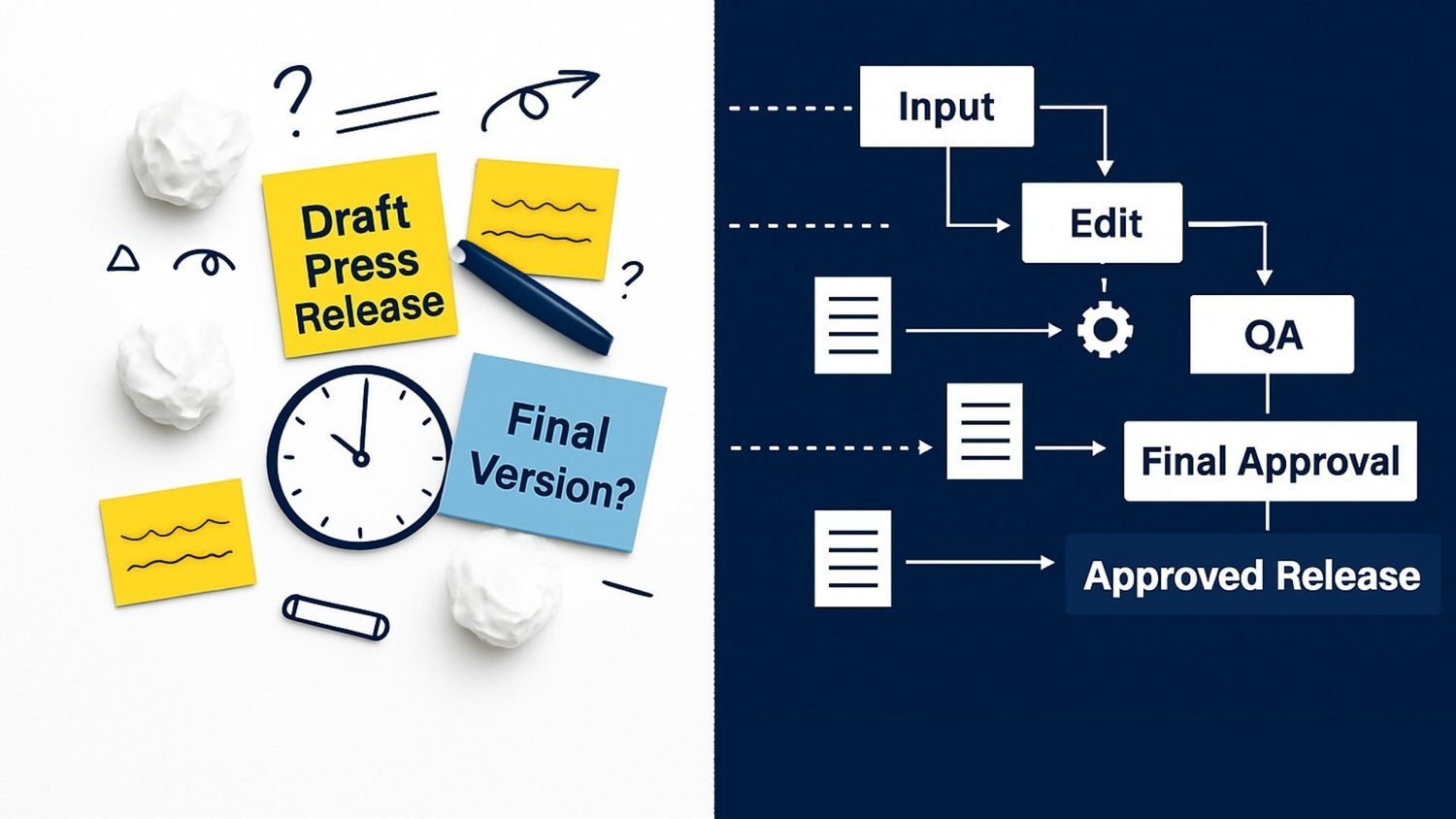
Do not switch overnight. Run the new workflow alongside the old one for one to two weeks. The old report goes to the client as normal. The new version is produced internally for comparison.
Track three things: time per report (old versus new), error count (did the new workflow miss anything the old one caught?), and whether output quality is equivalent. If the new workflow is faster, equally accurate, and produces a report the client would accept, you have your proof of concept.
Only then do you retire the old process and switch over.
What this looks like across a year for your PR reports
Saving 30 to 40 minutes per day on one client's report does not sound dramatic. Run the maths across a team.
How to scale a PR agency without hiring
Eight monitoring clients, each report saving 30 minutes per day, returns four hours per day to your team. Twenty hours per week. Over 1,000 hours per year. This is how you scale a PR agency without hiring. Those hours were being spent on formatting, sorting, and copying. Now they are available for advisory work, client development, or the capacity to take on another retainer.
The cost of not auditing this workflow does not show up on any P&L. It shows up as overwork, as senior people doing junior tasks, as teams that feel stretched even when headcount looks adequate.
Until you sit down, map the steps, and time them. That is where it starts.
Gabriel Tan is the founder of Mekong Bridge Advisory. He builds structured execution systems for PR and communications firms.
info@mekongbridge.com| www.mekongbridge.com